
Key Facts
• A growing real estate title company needed to scale their client base without a proportional increase in headcount and first-call resolution of client questions was essential to getting there.
• Their internal case management system, built to replace third-party tools, was functional but left people working across multiple opaque systems with no clear picture of where a file stood at any given moment.
• The vision I set for this system enabled an untrained phone team to reach a first-call resolution rate of over 75%, and set a compass for all future development that the team continues to build against today.
The Problem
The client was an early-stage startup working in real estate closings and title services. They had built their own internal solution to replace third-party software, but getting it off the ground quickly meant that the first pass was largely screens that regurgitated raw database data. It was functional, but not usable in any meaningful way.
The real challenge wasn't just the system, but how it tracked the work itself. A real estate closing involves several key players who work on different parts of the file at different times. Those handoffs were being coordinated in several separate systems. Title work was done in one system, client messages came in through email, phone, and text, and action items and notes lived in yet another place. People were constantly context-switching, unable to get a clear picture of where a file stood, which made resolving even simple client questions an exercise in hunting through multiple tools. Training was burdensome. Handoffs were opaque. And the business couldn't afford to keep adding headcount just to keep pace with growth.
The client needed a unified vision — one that consolidated as much of the work as possible into one place, created transparency across handoffs and processes, and made the team fast and confident enough to handle client questions on the first call.
Defining the Solution
For discovery on this project, I took a three pronged approach to determine the best outcomes for the system.
• I audited Slack threads and conversations to best understand what users were facilitating outside of the system and what might be needed to address it in-system.
• I audited customer messages and call logs to better understand the kinds of questions they were asking and understand how we can make those easier for users to resolve.
• I worked with users and SMEs to understand what data was available in the system as it existed and how it was all connected and used.
A few findings were particularly noteworthy and ended up largely driving the direction of the project and intended outcomes.
• The system assumed that most communications, internally and externally, were about actionable things, but actually they were overwhelmingly status updates.
• While we knew the data in the system was highly connected and contextual, what I hadn't anticipated was the specific connection between action items internal users could set and the notes they could create on a file, and how both were important to hand offs and tracking work.
• A key hurdle was managing communications in multiple places (emails, in-system messages, phone calls, and text messages). Bringing all of this into one consolidated place would greatly increase transparency and effectiveness for all users.
Designs
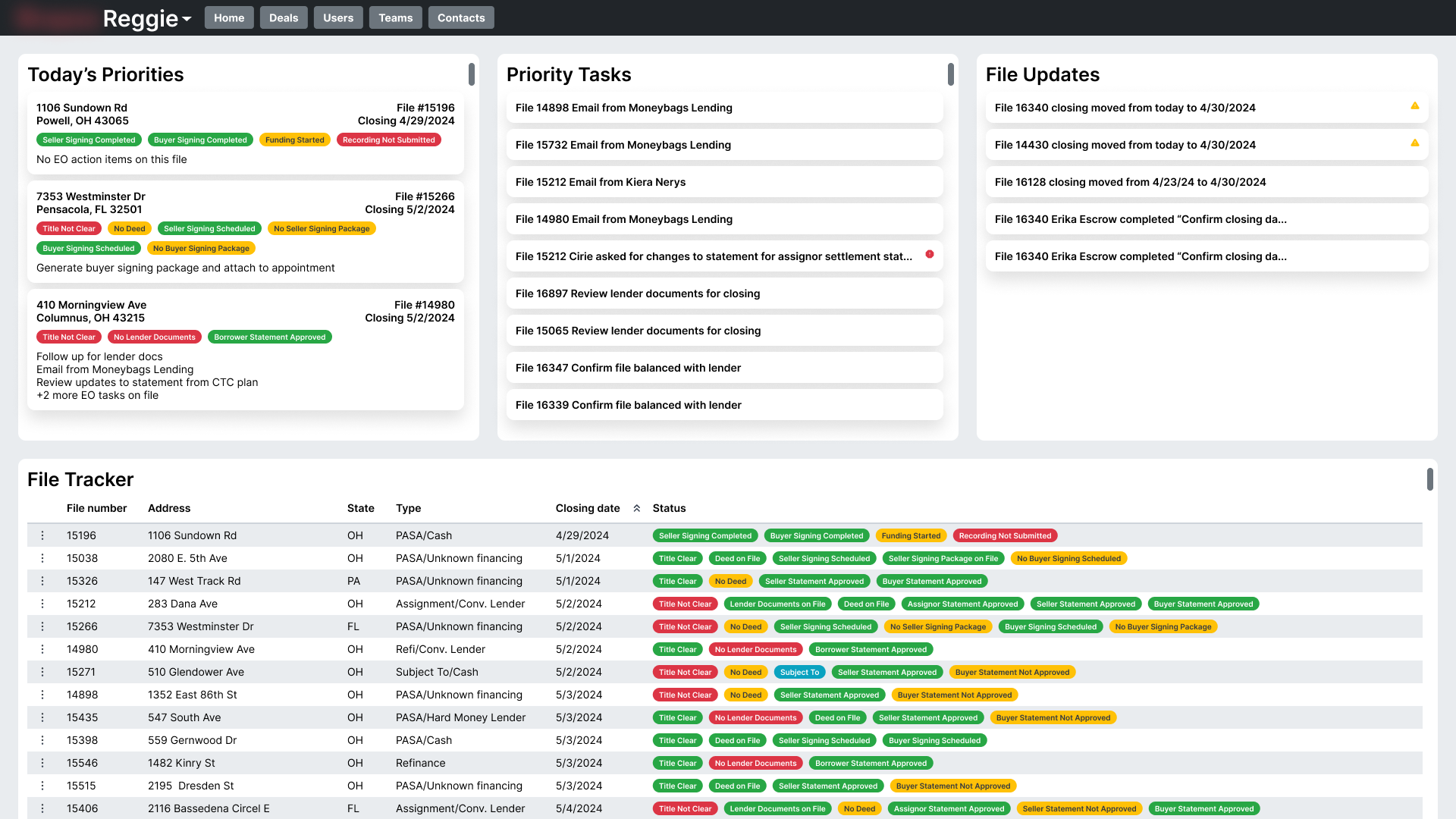
A redesigned home page helped users track all files in progress as well as their most important tasks and priorities in the day.
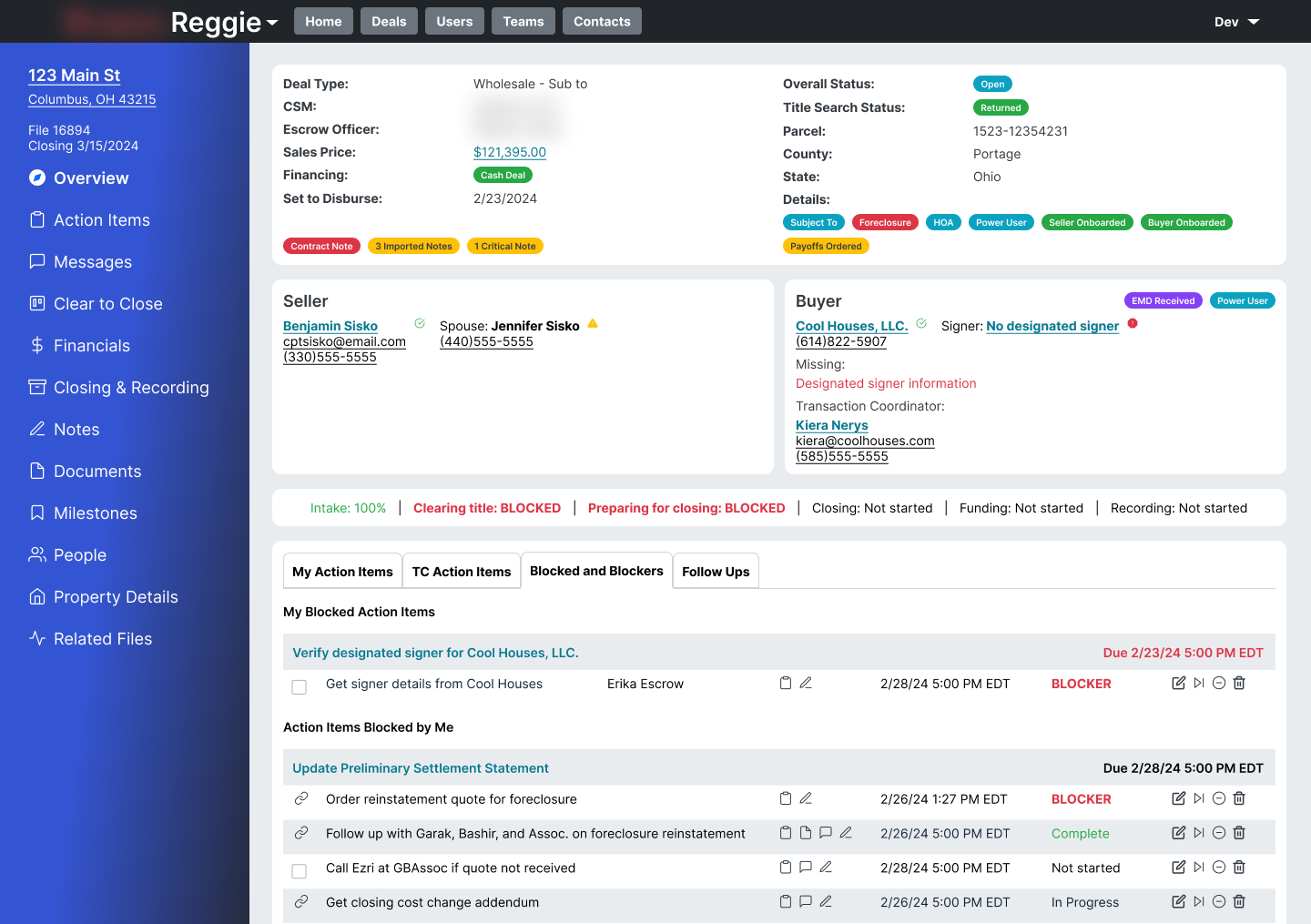
A reorganized file overview provides dense and contextual information at a glance
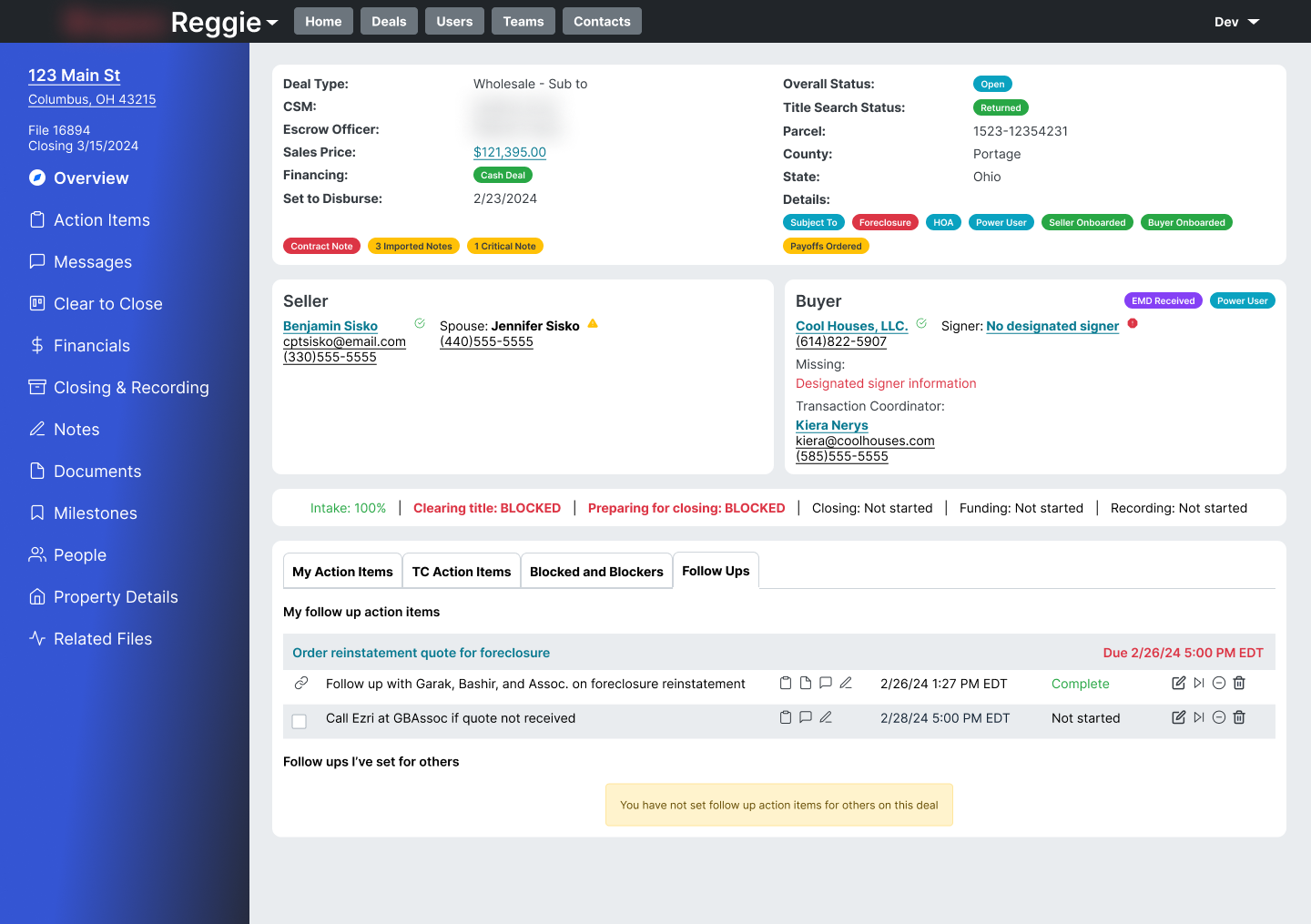
New statuses for action items, including "blocked" and "needs follow up", reduced the need for users to constantly ask for status updates
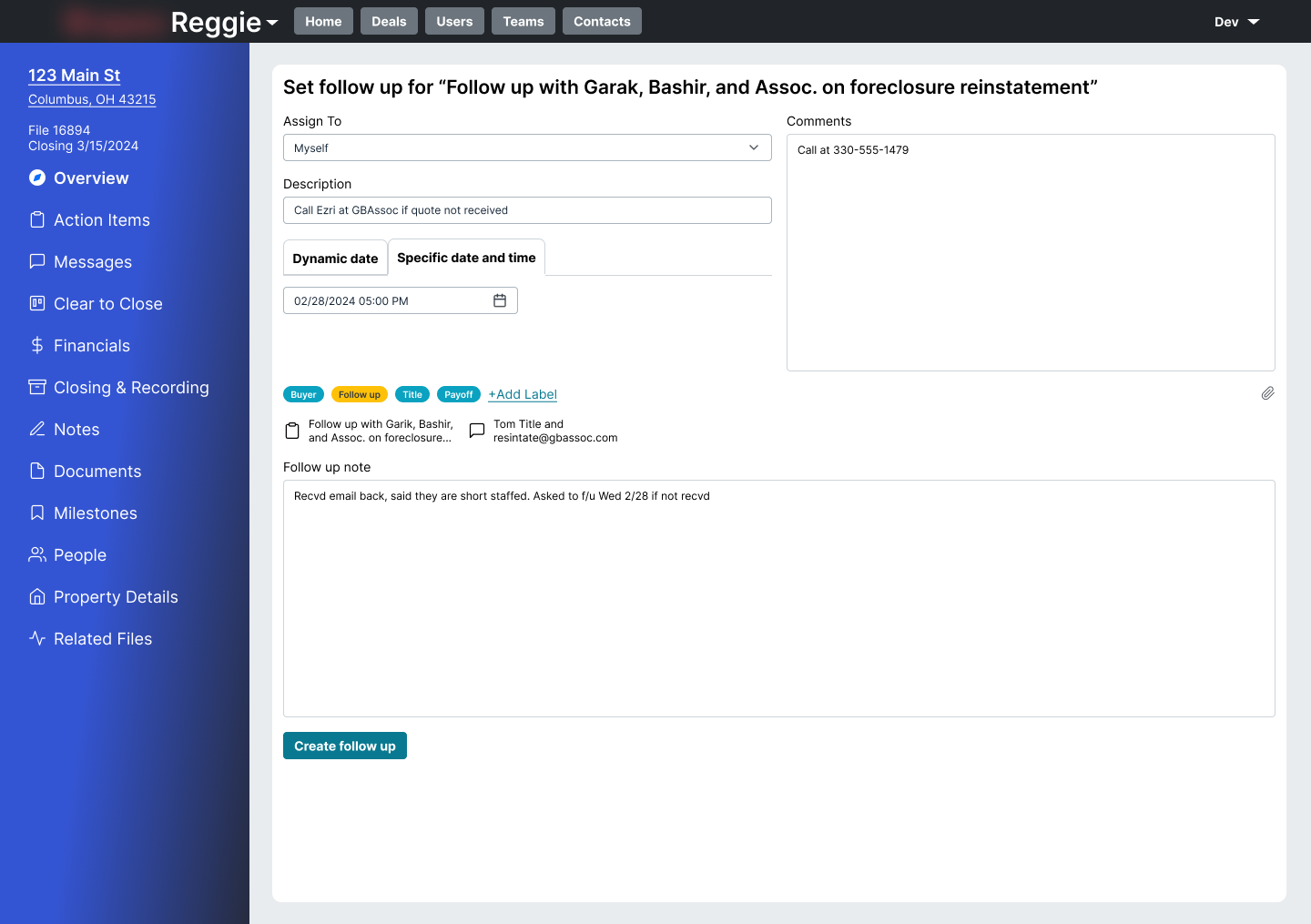
Adding the ability to add a note to an action item was critical to clarity in handoffs
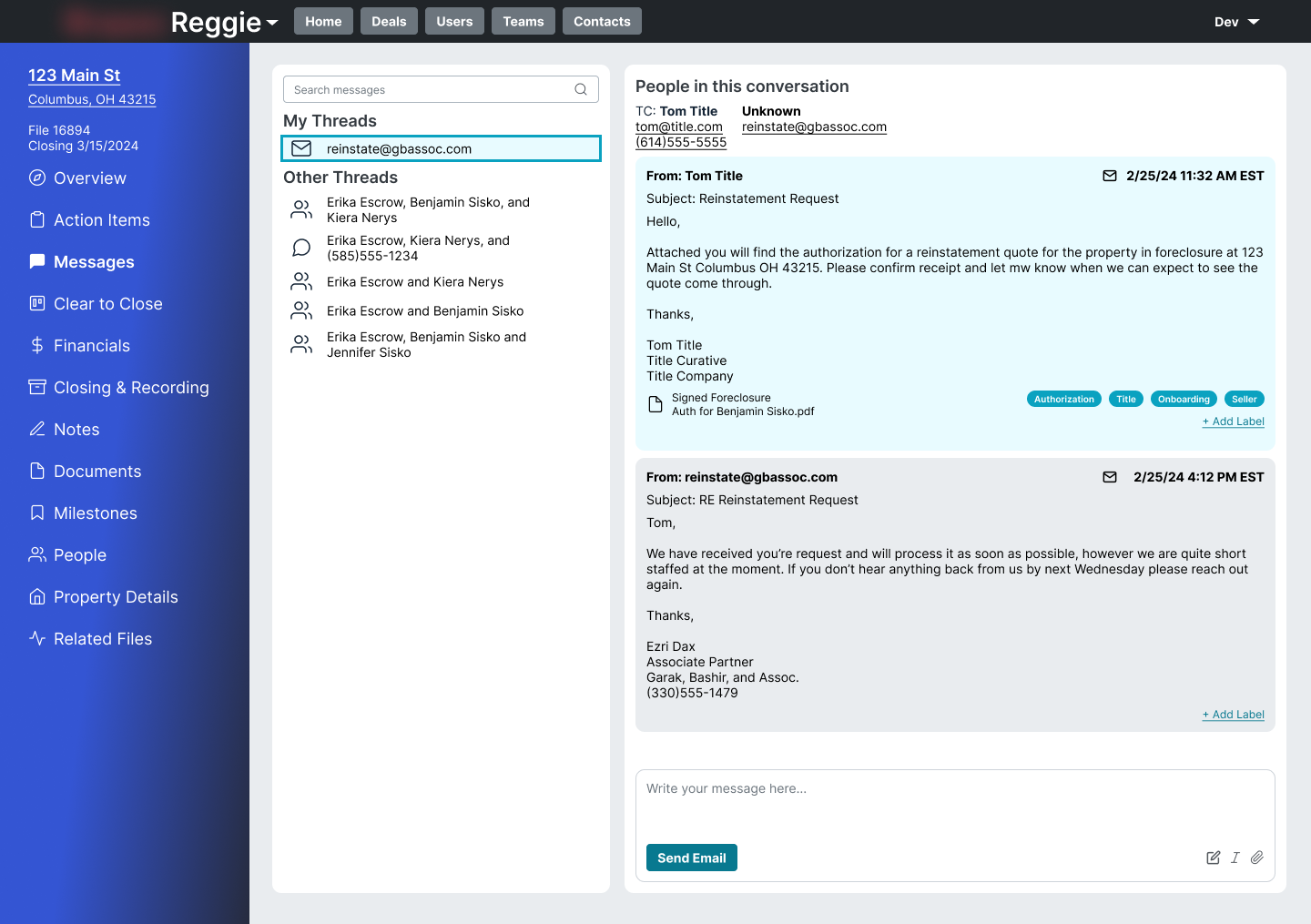
Unified communications allowed users to see all of the pertinent information for the file, regardless of who sent it
Outcomes
Designs were tested with internal, trained users against two key daily tasks: answering common customer call questions based on a test file, and following up on handoffs between team members to determine the state of a file. In both cases users were able to correctly and confidently answer the questions, with some iteration needed for specific data representations.
Implementation was staged, but the early wins were significant.
• Nearly all handoff coordination moved out of Slack, creating a true single source of truth for the team
• A new comms team — largely untrained in the subject matter — reached first-call resolution rates of 75–80%
• The vision gave the team a concrete short and long-term roadmap to act against, and a framework for evaluating new ideas and priorities as the system continues to grow